Choosing the right Uav Camera Gimbal can determine whether aerial footage looks professional or noticeably unstable. A clear horizon, smooth turns, and reliable vibration control depend on more than camera compatibility. Payload weight, motor strength, stabilization technology, and flight conditions all deserve careful attention.
A useful selection process begins with the aircraft and camera combination. Measure the camera, lens, mounting plate, and cables together. Even a small imbalance can make motors work harder and reduce flight time. A lightweight three-axis gimbal may suit inspection work, while a stronger model could better support a cinema camera. Field experience also shows that advertised payload limits do not always reflect windy conditions or sudden aircraft movements.
Look beyond specifications.
This guide examines stabilization axes, control systems, mounting methods, power demands, and operating environments. It also considers image quality, maintenance, software compatibility, and the practical support offered by manufacturers. Some choices may appear obvious, yet real projects often expose limitations. A gimbal that performs beautifully indoors may struggle near coastal wind or during rapid yaw movements. No single model is perfect. Careful testing remains essential.
Reliable decisions come from comparing verified specifications with hands-on results. Check independent demonstrations, review return policies, and ask whether replacement parts are available. Operators should also follow local aviation rules and protect people, property, and privacy during every flight. The best Uav Camera Gimbal is not necessarily the most expensive option. It is the one that matches the aircraft, camera, mission, and operator’s actual experience.
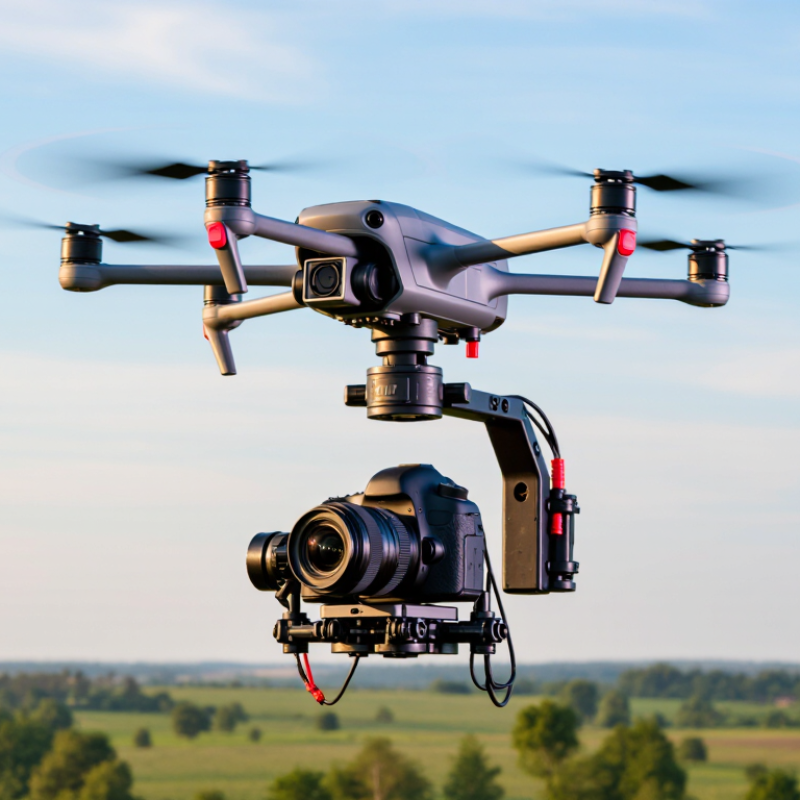
Understanding UAV camera gimbal types begins with the stabilization problem, not the camera’s pixel count. A two-axis gimbal controls pitch and roll, making it lighter for mapping and inspection flights. A three-axis gimbal also controls yaw, reducing side-to-side movement during turns. FAA’s Aerospace Forecast 2024–2044 projects the United States commercial small-drone fleet to grow from about 449,000 units in 2023 to roughly 858,000 by 2028. More aircraft means more demand for consistent imagery.
Mechanical stabilization uses brushless motors, an inertial measurement unit, and vibration-damping mounts. Electronic stabilization can crop footage digitally, but it may reduce the usable frame area. MarketsandMarkets’ 2024 Drone Camera Market analysis forecasts double-digit growth through 2029, reflecting wider demand for reliable aerial imaging systems. The report also highlights stabilization as a practical performance factor, not merely an accessory feature.
Choose the gimbal around the mission. A three-axis system suits orbiting structures, moving vehicles, and long inspection passes. A two-axis unit may work better when endurance matters more than cinematic movement. Check payload weight, response speed, horizon drift, and motor balance. Small vibrations can appear as soft edges on roof tiles or power lines. My field checks are rarely perfect. Wind, loose dampers, and poor calibration still cause failures. That is why I test the gimbal during slow yaw movements before trusting its footage.
Choosing the best UAV camera gimbal starts with the image, not the aircraft. Define the result you need before comparing equipment. A survey may require sharp vertical images, while coastal filming may need smooth horizon control. Consider resolution, focal length, low-light performance, and required stabilization. Write down the smallest detail you must see. That detail guides the camera choice.
Flight conditions can change the decision quickly. Wind, dust, temperature, and available light all affect gimbal performance. In field tests, I watch how the horizon behaves during slow turns and sudden stops. I also check whether the payload remains balanced after adding filters or protective covers. A heavier camera may deliver better images, but it can shorten flight time. Small trade-offs matter.
My first setup was too ambitious. It produced beautiful footage but lacked useful endurance. I now match the gimbal to the mission, not the specification sheet. For windy locations, prioritize strong stabilization and responsive motors. For indoor or low-light work, examine vibration control and sensor performance. Keep legal flight limits, privacy rules, and local operating conditions in the planning process. I still review test footage frame by frame, because a smooth clip can hide soft details.
Choosing the best UAV camera gimbal starts with the camera, not the gimbal. Measure the camera body, lens length, mounting holes, and total payload. A compact camera may fit physically but still exceed the gimbal’s balance range. That mistake causes motor strain, unstable footage, and shorter flight time. Check the aircraft’s payload limit and available power before comparing features.
Three-axis stabilization is usually the practical baseline for aerial imaging. Look for smooth pan control, adjustable damping, and reliable horizon holding. Mechanical range matters near the aircraft’s landing gear, arms, and propeller wash.
Compatibility includes more than a mounting plate. The gimbal should support the camera’s control signals, live video output, and recording functions. Confirm connector types, voltage requirements, software support, and remote-control response. Published payload ratings are useful, but they are not the whole story. Real balance testing remains essential.
Camera support affects image quality and workflow. Check whether the system handles the camera’s weight after adding filters, storage media, and cables. For low-light work, vibration control may matter more than extra rotation speed. For mapping, precise downward control and repeatable angles can be more valuable. Test the complete setup in a safe, controlled area. Record motor temperature, horizon drift, battery use, and footage sharpness. I once treated a small size advantage as decisive; it was not. The lighter unit required awkward cable routing and limited lens choices. Specifications guide the decision, but handling reveals the compromises.
How to Choose the Best UAV Camera Gimbal?
Selecting a UAV camera gimbal begins with measured image quality, not impressive zoom numbers. Inspect sensor resolution, dynamic range, rolling-shutter behavior, and lens sharpness at the edges. On a bright roof, highlight clipping can erase safety markings. At dusk, poor noise control turns fine cables into gray threads. Drone Industry Insights’ 2024 Drone Market Report projects the commercial drone market will reach about US$54.6 billion by 2030. That growth increases pressure for dependable imaging, but market growth does not guarantee usable footage.
Control method matters during fast yaw movements. Test joystick response, command latency, position-hold accuracy, and manual override behavior. Serial or network control can provide richer feedback than basic pulse signals, but integration errors remain possible. Use recorded telemetry to compare commanded and actual angles. Reliability is practical, not theoretical. Check vibration isolation, connector strain relief, operating temperature, and ingress protection. IEC 60529 ratings describe dust and water resistance; they do not prove flight endurance. PwC’s Clarity from Above report valued potential drone-enabled business solutions at US$127.3 billion, showing why downtime deserves financial attention. I have seen a gimbal pass a bench test, then drift after repeated landings. That result was inconvenient, but useful.
Tips: Capture sample footage before purchase. Test shadows, glare, and low light. Measure drift after ten minutes. Read the service documentation carefully. A perfect specification sheet can still mislead. Ask for test conditions, not promises.
Comparison of practical performance ranges for common UAV camera-gimbal configurations. Figures are representative industry ranges rather than brand-specific specifications.
| Evaluation Dimension | Compact Visual-Inspection Gimbal | Professional EO Gimbal | Mapping or Survey Payload | Selection Guidance |
|---|---|---|---|---|
| Primary Camera Type | 1/2.8-inch to 1/1.7-inch CMOS camera | 1-inch CMOS camera, often paired with a secondary wide-angle camera | Large CMOS sensor or dedicated photogrammetry camera | Choose the sensor according to the required detail, flight altitude, and available light. |
| Still-Image Resolution | 12–20 MP | 20–48 MP | 24–61 MP | Higher pixel counts help with cropping and mapping, but lens quality and image overlap remain critical. |
| Video Resolution and Frame Rate | 4K at 30–60 fps | 4K at 30–120 fps, depending on the recording mode | 4K video is available on some payloads; still capture is usually the priority | Use higher frame rates for fast-moving subjects, vibration analysis, or smoother inspection footage. |
| Optical Zoom | Fixed lens or approximately 2× optical zoom | Approximately 3×–20× optical zoom | Fixed focal length or moderate optical zoom | Optical zoom preserves more detail than digital enlargement when inspecting distant assets. |
| Thermal Capability | Usually unavailable or optional low-resolution thermal module | Optional radiometric thermal camera, commonly 640 × 512 or 1280 × 1024 pixels | Usually not included unless thermal inspection is a project requirement | Radiometric thermal data is useful for temperature measurement, electrical inspection, and hotspot detection. |
| Gimbal Stabilization | 3-axis mechanical stabilization | 3-axis mechanical stabilization with horizon correction | 3-axis stabilization optimized for nadir or near-nadir imaging | Three-axis stabilization is preferred for stable video, accurate framing, and consistent mapping imagery. |
| Typical Angular Stability | Approximately ±0.02° to ±0.05° | Approximately ±0.01° to ±0.03° | Approximately ±0.01° to ±0.03° | Lower angular error generally improves image sharpness and reduces the need for repeated flights. |
| Control Methods | Remote-controller commands and mobile application | Remote controller, mobile application, SDK, and sometimes a secondary operator station | Mission-planning software, camera trigger interface, and flight-controller integration | For automated operations, verify SDK access, trigger support, telemetry, and compatibility with the flight-control system. |
| Control Latency | Typically below 150 ms on a stable digital link | Typically below 100–150 ms on a reliable digital link | Depends on the aircraft, camera interface, and mission-planning system | Lower latency improves framing accuracy and response during close inspection or fast flight. |
| Autofocus and Exposure Control | Single-shot autofocus and automatic exposure | Continuous autofocus, manual focus, shutter, ISO, and exposure compensation | Manual exposure and fixed-focus workflows are common for consistent image sets | Manual control is valuable when lighting changes or when repeatable survey exposures are required. |
| Image and Video Storage | Removable microSD storage, commonly up to 256 GB | Removable microSD or onboard storage, commonly 256 GB or more | High-capacity removable storage or direct data transfer to an onboard computer | Confirm storage speed, file-system compatibility, and maximum supported capacity before deployment. |
| Data Interfaces | USB, wireless image transmission, and basic telemetry | USB, Ethernet or serial interfaces, high-definition downlink, and telemetry | USB, Ethernet, serial trigger, GNSS/RTK event markers, and time synchronization | Survey and inspection workflows benefit from accurate timestamps, positioning data, and reliable trigger signals. |
| Typical Payload Mass | Approximately 200–500 g | Approximately 500 g–1.2 kg | Approximately 400 g–1.5 kg | Check the aircraft payload limit, center of gravity, vibration behavior, and available power margin. |
| Typical Power Consumption | Approximately 5–15 W | Approximately 10–30 W | Approximately 10–40 W, depending on sensor and onboard processing | Power draw affects flight endurance, battery planning, and thermal management. |
| Operating Temperature | Commonly about −10°C to 45°C | Commonly about −20°C to 50°C | Often about −10°C to 50°C, subject to the camera and aircraft limits | Use the narrowest temperature rating among the gimbal, camera, aircraft, and battery. |
| Weather Protection | Limited protection; avoid rain and heavy dust | Some professional systems provide sealed or splash-resistant construction | Varies widely; survey cameras may require controlled weather conditions | Do not infer waterproofing from a sealed-looking housing; verify the published IP rating. |
| Calibration and Maintenance | Basic IMU, gimbal, and compass calibration | Routine gimbal calibration, firmware management, lens checks, and inspection of vibration isolators | Regular boresight, lens, timing, and positioning checks | A clear calibration procedure and available spare parts are important for repeatable results. |
| Operational Reliability Indicators | Stable startup, consistent image transmission, and low vibration | Redundant fault reporting, stable data links, thermal management, and controlled startup behavior | Reliable triggering, accurate event marking, repeatable exposure, and uninterrupted data recording | Evaluate the complete aircraft-payload system rather than the gimbal alone. |
| Best-Fit Applications | Routine visual checks, roof surveys, construction progress, and general documentation | Infrastructure inspection, public safety, search and rescue, and detailed video production | Orthomosaics, 3D models, stockpile measurement, corridor mapping, and precision inspection | Select the payload according to the required ground sampling distance, working distance, and reporting standard. |
How to Choose the Best UAV Camera Gimbal?
Selecting the Best UAV Camera Gimbal for Your Budget and Mission
A gimbal should serve the mission, not merely increase the equipment list. The FAA’s 2024 Aerospace Forecast expects continued growth in commercial unmanned aircraft operations, increasing demand for dependable imaging systems. That growth does not make every three-axis gimbal suitable. Survey mapping needs steady nadir images, while inspection work often requires controlled tilt and low-latency video.
Start with payload weight, flight endurance, and camera compatibility. A heavier gimbal can reduce useful flight time. For example, every extra gram matters during a 30-minute survey flight. Check the manufacturer’s measured weight, not only the advertised figure. Also compare stabilization accuracy, angular vibration, control latency, and operating temperature. These details are easy to overlook.
Budget decisions need mission-based thinking. MarketsandMarkets projects strong expansion in the drone camera market through 2029, but rising demand does not guarantee better field performance. A basic two-axis unit may suit daylight observation. A professional three-axis system is more practical for moving targets or uneven wind. I have seen teams overspend on resolution and underestimate vibration control. That mistake is costly. Still, specifications can mislead; real flight tests matter more than polished charts. Request sample footage, test return-to-home behavior, and confirm repair support before purchase. Reliability often saves more money than a lower initial price.
Selecting the Best UAV Camera Gimbal for Your Budget and Mission
The chart compares indicative planning ranges for common UAV gimbal mission profiles. Higher payload requirements generally support larger optical or thermal sensors, while three-axis stabilization is the standard choice for maintaining image stability during flight. Actual prices and specifications vary according to sensor resolution, zoom capability, aircraft compatibility, and environmental protection.
We are here to help you with all your queries and concerns, just write to us using the below form and we will get back to you as soon as we can.