Top 10 PCAP Touch Screen Suppliers for Global Buyers

Choosing a PCAP Touch supplier is not just a price comparison. It is a decision about how a screen will respond in real use: under bright showroom lights, behind protective glass, or beneath a gloved fingertip. For global buyers, the right partner must also communicate clearly, document specifications, and support production consistently. Small details matter.

PCAP systems specialist Alex Morgan puts the selection challenge this way: “A reliable touch screen is proven in the conditions it will actually face.” Buyers should compare more than quoted size and resolution. Check cover-glass thickness, controller performance, optical clarity, firmware options, and sample-test results. Ask how suppliers handle customization, quality checks, lead times, and after-sales support. A polished product photo cannot answer those questions.

This guide introduces ten PCAP Touch screen suppliers for global buyers and offers a practical starting point for supplier evaluation. Each company may suit different applications, order volumes, and integration needs; no single list can replace hands-on testing. That matters. A screen that works on a clean office desk may behave differently near electrical noise or with water on its surface. Request samples, define acceptance criteria, and confirm details in writing before committing. Supplier capabilities can change, too, so verify current specifications and certifications directly. Some comparisons will still feel imperfect. That is worth acknowledging. The goal is not to declare one universal winner, but to help buyers ask sharper questions and find a supplier whose performance matches the product they need to build.
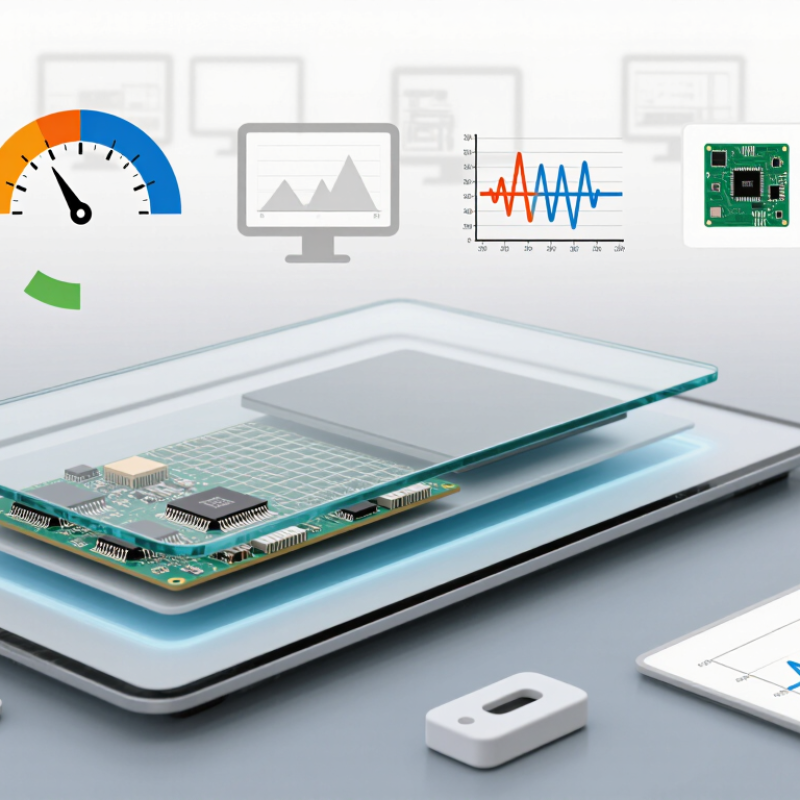
Top 10 PCAP Touch Screen Suppliers for Global Buyers

PCAP Touch Screens: 10-Point Multi-Touch and Projected-Capacitive Basics

A 10-point PCAP screen can track ten fingers at once, but that number describes capacity, not guaranteed accuracy. Projected-capacitive sensing uses a grid of electrodes beneath the cover glass. A finger changes the electrical coupling at nearby intersections, and the controller estimates its position. This enables gestures such as pinch-to-zoom and two-handed control. Small detail, big difference: electrode layout and controller tuning affect edge response and simultaneous-touch stability.

Cover glass, moisture, gloves, and electrical noise can all change performance. Buyers should test the intended glass thickness and real operating conditions, rather than relying on a “10-point” label alone. IEC 61000-4-2:2008 defines electrostatic-discharge test levels up to 8 kV for contact discharge and 15 kV for air discharge. These figures offer a useful test reference, not a guarantee that every assembled screen will pass. Ask suppliers for test conditions and results.

For global projects, compare touch accuracy, latency, palm rejection, and performance with water droplets or gloves. Request a live demonstration using ten fingers, including near the corners. It may still misread a wet edge; that is worth admitting early. A sample tested with the final cover glass, display, and enclosure can reveal problems a datasheet will not.

How to Compare Suppliers: Optical Bonding, Cover Glass, and Interface Specs

When comparing PCAP touch screen suppliers, look beyond the quoted panel size. Optical bonding fills the gap between the cover glass and display, reducing internal reflections and improving readability under bright lighting. Ask whether the supplier bonds the full active area and how it checks for bubbles, dust, or uneven adhesive. Request sample measurements under the lighting conditions your product will face. A showroom test is not enough.

Cover glass choices affect both protection and touch response. Compare thickness, edge treatment, surface finish, and any anti-glare or anti-fingerprint coating. A thicker pane may suit a rugged enclosure, but it can reduce sensitivity unless the touch system is tuned for it. Check scratch and impact test methods, not just a hardness figure. The numbers can look reassuring. They may still miss your use case.

Interface specifications deserve the same attention. Confirm connector type, pinout, voltage, communication protocol, controller availability, and firmware support for your operating system. Ask how the supplier handles electrical noise from nearby motors or power converters, and test gloves or moisture if they matter in daily use. Put these checks into a written sample test plan. It is easy to overlook one detail, such as cable length, until installation. Compare the supplier’s documentation with the actual unit, and record any mismatch before approving production.

Top 10 PCAP Touch Screen Suppliers for Global Buyers - How to Compare Suppliers: Optical Bonding, Cover Glass, and Interface Specs

Illustrative sourcing profiles for comparing common PCAP configurations—not a ranking or verified supplier directory. Specifications are representative options available in the market; confirm the exact product, test conditions, and customization limits with each supplier.

Profile Typical screen size Cover glass options Bonding options Typical touch points Touch-controller interface Display interface Useful buyer checks
Profile 01 — Compact embedded 3.5–7 in About 0.7–1.8 mm; flat glass is common Air gap or optical adhesive, depending on the display stack Typically 5–10 I²C is common; USB may be available through a controller board Specified separately; commonly RGB, LVDS, or MIPI DSI Check active-area dimensions, controller availability, and firmware support.
Profile 02 — Handheld and portable 5–10.1 in About 0.7–2.0 mm; optional strengthened glass Optical adhesive or air gap Typically 5–10 I²C or USB, depending on the controller Specified separately; often MIPI DSI, LVDS, or eDP Verify power consumption, connector orientation, and touch performance with the final enclosure.
Profile 03 — Industrial panel 7–15.6 in About 1.1–3.0 mm; flat or custom-cut glass Air gap or full optical bonding Typically 10 USB or I²C Specified separately; commonly LVDS or eDP Request operating-temperature data for the complete assembly, not just the touch sensor.
Profile 04 — Rugged front panel 7–15.6 in About 2–4 mm; strengthened glass options Full optical bonding is often selected to reduce internal reflections Typically 10 USB or I²C Specified separately; commonly LVDS or eDP Check impact requirements, edge sealing, bonding process, and repairability.
Profile 05 — Outdoor-readable display 7–21.5 in About 1.8–4.0 mm; anti-glare or other surface treatments may be offered Full optical bonding is commonly considered for bright environments Typically 10 USB or I²C Specified separately; commonly LVDS or eDP Request measured reflectance and readability data; confirm the treatment does not impair touch performance.
Profile 06 — Large-format kiosk 15.6–27 in About 2–6 mm; flat glass is typical, with custom dimensions by design Air gap or optical bonding, subject to size and assembly constraints Typically 10–20; confirm the controller specification USB is common; other options depend on the controller Specified separately; commonly eDP or LVDS Check touch accuracy across the full area, controller bandwidth, and transport packaging.
Profile 07 — Glove-use configuration 7–15.6 in About 1.1–3.0 mm Air gap or optical bonding Typically 10 USB or I²C; tuning depends on the controller Specified separately; commonly LVDS or eDP Glove operation is not guaranteed by interface or glass thickness; test with the intended glove and moisture conditions.
Profile 08 — Custom cover-lens design Application-dependent; commonly 7–21.5 in Custom outline, cut-outs, printing, and thickness options Optical bonding or air gap, based on the mechanical stack Typically 10; confirm for the selected controller USB or I²C Specified separately to match the display module Confirm drawing tolerances, minimum order quantities, tooling charges, and sample approval process.
Profile 09 — High-brightness system integration 10.1–21.5 in About 1.8–4.0 mm; surface finish should be matched to the display Full optical bonding is commonly evaluated to reduce reflections Typically 10 USB or I²C Specified separately; commonly eDP or LVDS Compare complete-stack brightness, reflections, thermal behavior, and touch response—not panel brightness alone.
Profile 10 — Long-life industrial supply 7–21.5 in About 1.1–4.0 mm; standard or custom glass options Air gap or optical bonding Typically 10 USB or I²C Specified separately; commonly LVDS or eDP Ask about product change notification, component traceability, lifecycle support, and revision control.

Top 10 PCAP Touch Screen Suppliers: Product Scope and Market Applications

PCAP touch screen suppliers may offer more than a sensor and a glass panel. Their product scope can include projected-capacitive sensors, touch controllers, cover glass, display integration, and optical bonding. Buyers should check supported screen sizes, interface options, brightness targets, and mounting requirements. A panel that fits a 10-inch opening may still need controller tuning for its final enclosure.

Small details matter. A kiosk beside a sunny window may need a different surface treatment from a control panel on a factory floor. Suppliers may provide anti-glare finishes, strengthened glass, or tuning for operation with gloves and moisture. These features need testing in the intended environment; performance can vary with glove material, water coverage, and electrical noise. Ask for sample units and test them in the actual housing.

Market applications span retail terminals, ticket machines, industrial controls, transport displays, and selected medical equipment. Each setting brings different priorities. A retail screen may need easy cleaning and steady daily use, while an industrial panel may face vibration, dust, and repeated input. Medical projects also require careful review of cleaning routines and system-level requirements. One common blind spot is focusing on touch accuracy alone. Durability, serviceability, and replacement lead times deserve equal attention, though they are easy to overlook during early specification.

PCAP Touch Screens: Typical Application Fit

The 0–100 scores are a qualitative comparison of how commonly PCAP touch screens fit typical application requirements—not market shares, sales figures, or supplier rankings. Actual suitability depends on the device design and operating environment.

Global Qualification: IEC 61000-4-2 ESD Tests at 4 kV Contact and 8 kV Air

Top 10 PCAP Touch Screen Suppliers for Global Buyers
Global Qualification: IEC 61000-4-2 ESD Tests at 4 kV Contact and 8 kV Air

A PCAP screen may look flawless on a clean test bench, yet behave differently when static electricity reaches its surface. IEC 61000-4-2 testing gives buyers a practical way to compare electrostatic discharge performance. At 4 kV contact and 8 kV air, evaluators can check whether a touchscreen keeps responding, recovers correctly, or needs a restart. Small details matter: the controller, glass, flex cable, and grounding path all affect results.

Ask suppliers for the test setup, sample configuration, and recorded outcomes—not just a pass statement. Confirm where contact discharges were applied, how air discharges were approached, and whether the display was monitored during and after exposure. A screen that briefly freezes may recover, but that behavior should be documented against the project’s acceptance criteria. Results from one panel size or mounting arrangement may not transfer directly to another. This is easy to overlook.

Tips: Request test reports for the actual assembly, including its cable and bezel. Check recovery time and touch accuracy after each discharge. Keep the report; memory gets fuzzy. A controlled laboratory test is useful, but installation conditions can still change performance.

Sourcing and Compliance: Customization, Lead Times, and Lifecycle Support

For global PCAP touch screen sourcing, compare suppliers against the real installation, not just a catalogue drawing. Specify active area, cover-glass thickness, bonding method, controller interface, and required operation with gloves or moisture. Ask for a documented sample-to-production approval process. A clean sample is reassuring, but perhaps too reassuring: it cannot prove consistent performance across a full batch. Request test criteria and records for touch accuracy, optical appearance, and environmental conditions.

Lead times need equal scrutiny. McKinsey Global Institute’s 2020 analysis estimated that companies face disruptions lasting a month or longer about every 3.7 years. This is a cross-industry estimate, not a PCAP forecast, but it supports checking component dependencies and backup plans. Ask suppliers to separate tooling, sample, and volume-production schedules, and to explain what changes if a controller or glass source becomes unavailable.

Small details matter. For compliance, request current material declarations and applicable market documentation, then confirm who updates them after a design change. Lifecycle support should include repair or replacement options, firmware availability, and notice of component obsolescence. These commitments can be vague. Put response times and change-notification expectations in writing, while recognizing that forecasts will never be perfect.

Article Source:

Our dedicated sales and support staff are here to help you identify the ideal pump solution for your needs.

Contact Us